
Voice Chat
Voice in Watch2Gether rooms runs on your own free Tencent RTC keys. Setting them up takes about five minutes, once, and only the host ever needs to do it.
The short version
When you create a room you can paste in two values from a free Tencent RTC account: an SDKAppID and a SecretKey. Do that and everyone in your room gets voice chat, no setup on their side at all. Skip it and the room is text chat only; the mic buttons simply will not be there.
The free tier is 10,000 minutes every month, and it renews. Minutes count per person in voice, so a two hour movie night with four friends talking uses about 480 of them.
Getting your keys
Sign up
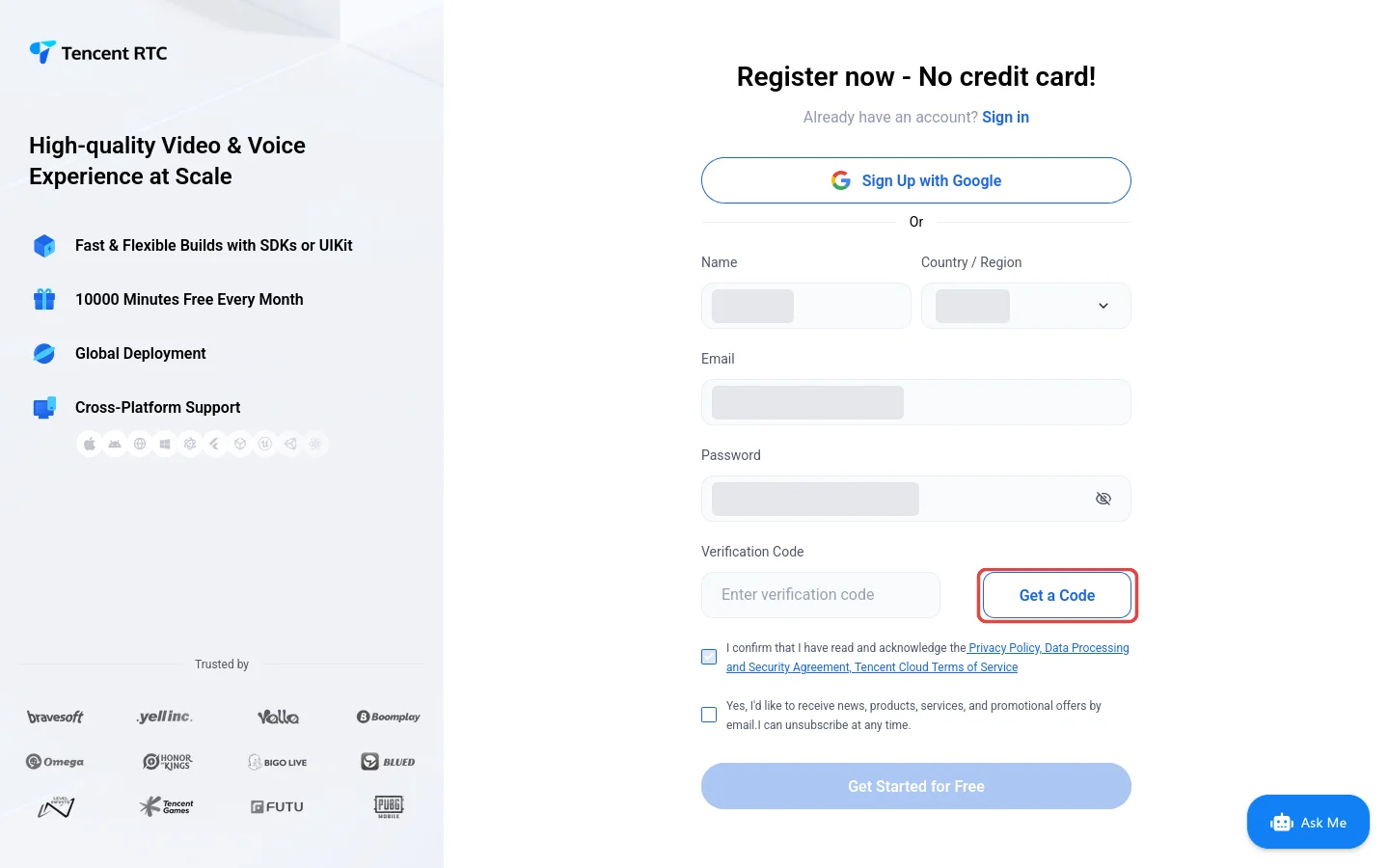
trtc.ioGet Startedregister form
Open trtc.io and hit the Get Started button in the top right. No card, no payment. Fill in a name, your country, an email address and a password, then press Get a Code. A small click-the-icons-in-the-shown-order puzzle pops up; solve it and Tencent emails a verification code to the address you entered.
Type the code in, tick the agreement box, and press Get Started for Free. That is the account done, and you land in the console at console.trtc.io.
Pick your use case
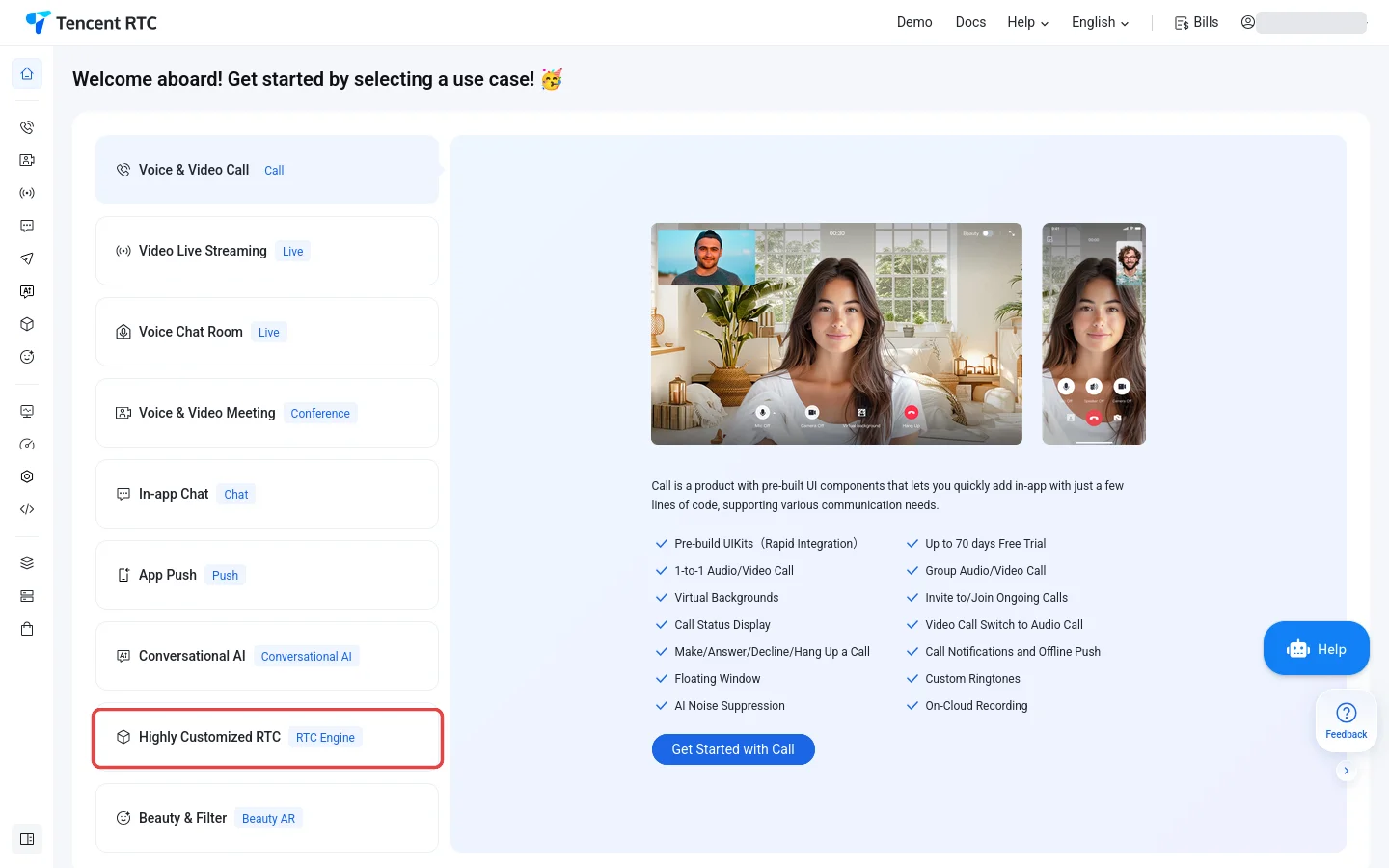
console.trtc.iowelcome screen
Your first login greets you with a welcome screen asking what you want to build. Pick Highly Customized RTC near the bottom of the list (it carries the RTC Engine tag, and that is the one our rooms use), then press Get Started with RTC Engine.
Closed it by accident? Dashboard in the left sidebar gets you back to the same place.
Create the application
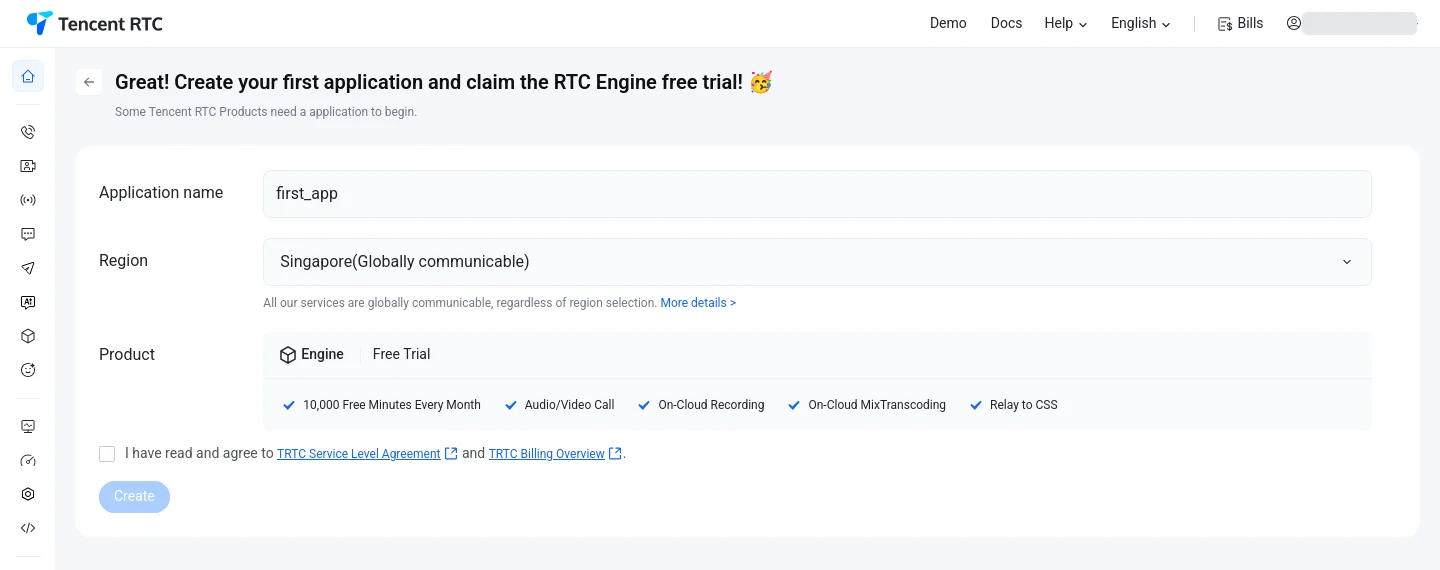
Get Started with RTC Enginecreate form
One short form. Name the application anything up to 15 characters (letters, digits and underscores only), and leave the region it suggests, since every region is globally communicable. The product is already set to the Engine free trial, which gives you 10,000 free minutes every month.
Tick the service agreement and press Create.
Copy your two keys
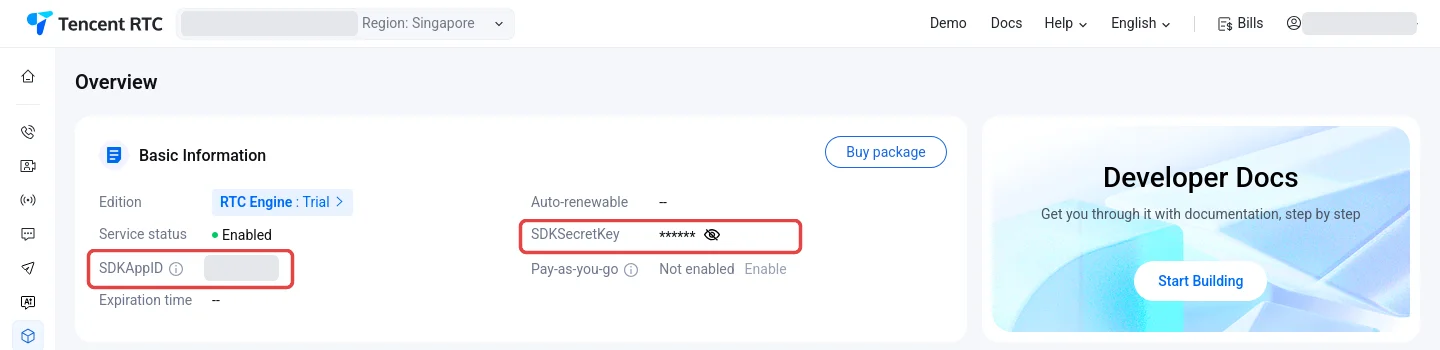
console.trtc.ioRTC EngineOverview
You land on the RTC Engine Overview. You can get back here any time by signing in at trtc.io and clicking RTC Engine in the left sidebar. The Basic Information card holds both values our room dialog asks for: the SDKAppID, which is a number, and the SDKSecretKey behind the eye icon. Click the eye to reveal the key, then copy both.
Treat the SecretKey like a password. Anyone who has it can spend your free minutes.
Good to know
- Only the host needs keys. Everyone else clicks the mic button and talks.
- Your SecretKey is held only while your room exists and is deleted the moment the room ends. It is never shown to anyone, not even you, after you paste it.
- The same two keys work for every room you host. Keep them somewhere safe and paste them each time.
- If joining voice fails with an invalid keys error, one of the two values was pasted wrong. Re-check them in the Tencent console and create the room again.
- Running low on free minutes? They reset monthly, and the usage page in the Tencent console shows exactly where you stand.